iPhone 15 Pro Overheating 2026: Portrait Mode Issue
iPhone 15 Pro Overheating 2026: Portrait Mode Issue
The iPhone 15 Pro is one of Apple’s most powerful smartphones, featuring a titanium design, the A17 Pro chip, and advanced camera capabilities. However, some users have reported overheating issues since its launch. While Apple addressed several overheating concerns through software updates, some iPhone 15 Pro owners continue to notice excessive heat during specific tasks.

One possible culprit may be Apple’s Portrait Mode. Some users have observed that their iPhone becomes unusually hot when taking and editing portrait photos immediately after capture. While this issue may not affect every device, it raises questions about whether a software bug could still be causing performance problems.
Why Is the iPhone 15 Pro Overheating?
When the iPhone 15 Pro launched, overheating quickly became one of the most discussed issues among users. Reports described devices becoming unusually hot during charging, gaming, camera use, and even routine tasks.
Apple later explained that certain software issues and third-party app activity contributed to the problem. Updates were released to improve thermal management and reduce excessive heat generation.
The Portrait Mode Connection
Portrait Mode is one of the iPhone’s most popular camera features. It uses computational photography to create a professional-looking background blur while keeping the subject sharp.
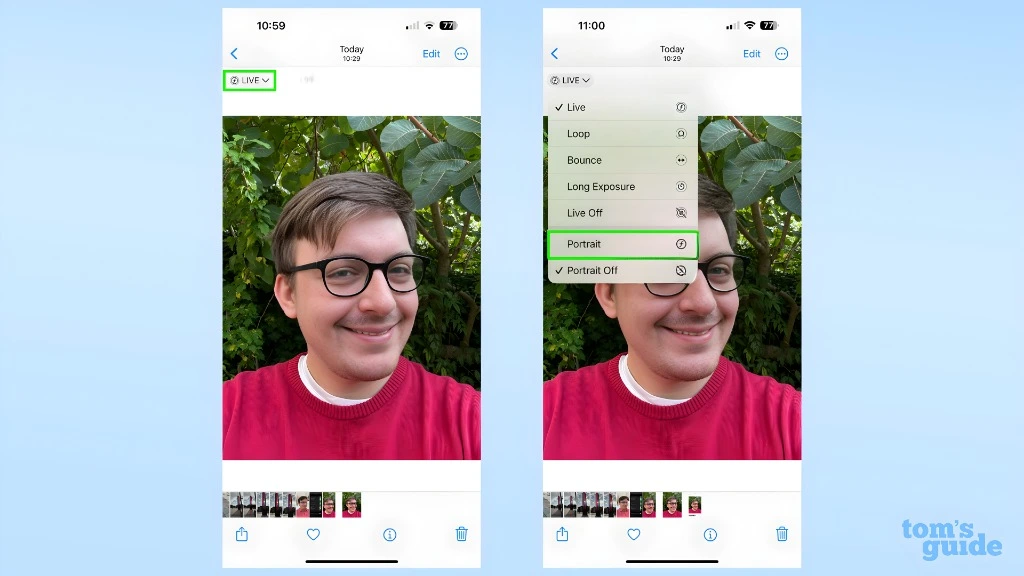
To achieve this effect, the phone captures and processes significant amounts of image data, including:
All of these tasks require substantial processing power.
Some users have noticed that when they take a portrait photo and immediately begin editing it, the iPhone appears to struggle temporarily. During this process, the device may become noticeably warm.
How the Problem Appears
According to user reports, the issue often follows a similar pattern.
The user opens the Camera app and captures an image using Portrait Mode.
Instead of waiting a few seconds, the user immediately opens the photo in the Photos app.
The user enters editing mode and starts adjusting portrait settings such as background blur or focus depth.
At this point, a loading icon may appear while the iPhone processes the portrait information.
During this processing period, some users report that the phone begins heating up rapidly.
In more severe cases, the device may display a warning message indicating that it needs to cool down before continuing certain functions.
Why Portrait Editing Requires Extra Processing
Portrait photos are more complex than standard images. When you take a portrait photo, the iPhone doesn’t simply save a picture. It also stores depth information that allows you to adjust the blur effect later.
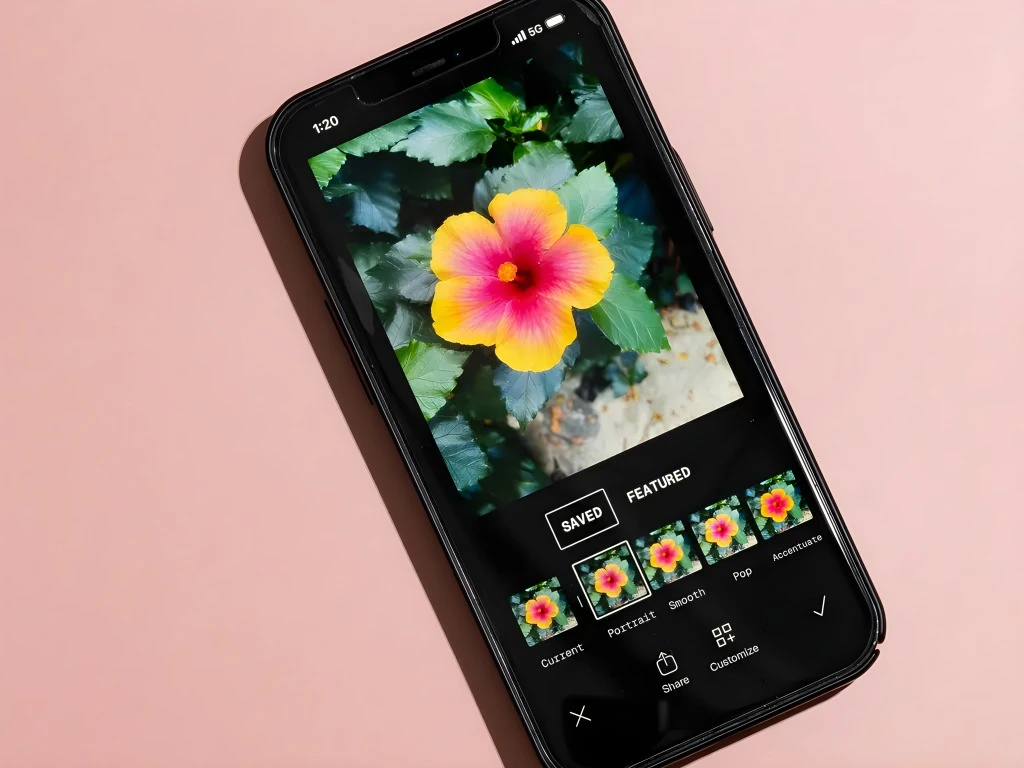
When you enter editing mode, the device may need to:
These calculations place additional demand on the processor and graphics system.
While some heat is normal, excessive heat could indicate that the software is not handling these tasks efficiently.
Is It a Hardware Problem?
Many users worry that overheating means their device is defective. In most cases, overheating during Portrait Mode editing appears more likely to be software-related rather than a hardware failure.
Several factors support this theory:
That doesn’t necessarily mean every overheating issue is caused by software, but it does suggest that Portrait Mode processing may contribute in certain situations.
Signs That Software May Be Responsible
You may be dealing with a software-related issue if:

Software bugs can sometimes trigger excessive processor activity, causing temperatures to rise unexpectedly.
How to Reduce iPhone 15 Pro Overheating
If your iPhone becomes hot during Portrait Mode editing, try these simple solutions.
Always install the latest version of iOS. Apple frequently releases fixes for performance and thermal management issues.
After taking a portrait photo, give the phone a few seconds to finish processing before opening the image for editing.
Multiple apps running simultaneously can increase processor load and contribute to overheating.
Some protective cases trap heat and make it harder for the phone to cool itself.
Using the camera outdoors in high temperatures can worsen heat buildup.
A simple restart may clear temporary software processes that are causing excessive resource usage.
Should You Be Concerned?
Occasional warmth during photography is completely normal. Modern smartphones perform complex image processing tasks that naturally generate heat.
However, you should pay attention to the following:
If these symptoms occur frequently, contacting Apple Support is a good idea.
Is Portrait Mode Still Worth Using?
Absolutely. Portrait Mode remains one of the best smartphone photography features available. It creates professional-looking photos with beautiful background blur and allows creative editing after the image is captured. For most users, the benefits far outweigh occasional processing delays.
Frequently Asked Questions (FAQs)
CONCLUSION
The iPhone 15 Pro is an incredibly capable smartphone, but some users continue to report overheating during Portrait Mode editing. The issue appears to occur when the phone is processing complex depth information immediately after a portrait photo is taken.
While there is no definitive proof that Portrait Mode alone causes overheating, user experiences suggest that the feature may place unusually high demands on the device under certain conditions. Fortunately, simple steps such as updating iOS, waiting before editing photos, and reducing background activity may help minimize the problem.
As Apple continues refining iOS, future updates may further improve performance and eliminate any remaining software-related overheating concerns.