SanDisk Creator Phone SSD Review 2026: iPhone Video Drive
SanDisk Creator Phone SSD Review 2026: iPhone Video Drive
The SanDisk Creator Phone SSD is a compact external storage solution designed specifically for modern content creators, particularly iPhone users who record high-resolution videos. With the growing popularity of 4K and ProRes video recording, creators often need additional storage that is both fast and portable.
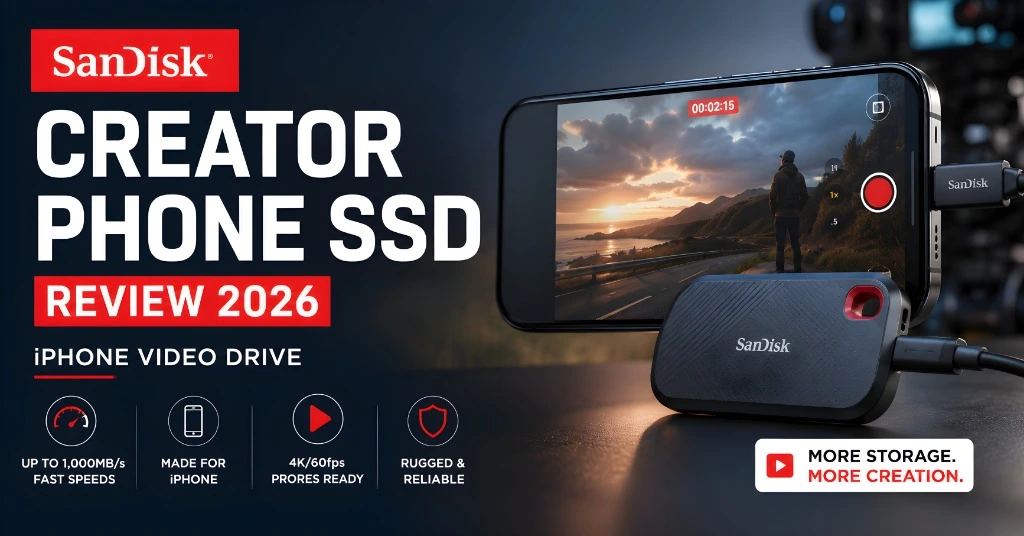
This SSD offers high-speed data transfer, reliable performance, and seamless compatibility with smartphones, making it an attractive option for mobile videographers. Its lightweight design allows users to capture, store, and manage large video files without interruption. In this review, we examine its design, performance, features, and overall value for iPhone video creators.
SanDisk Creator Phone SSD Review
The SanDisk Creator Phone S SD is a small external drive made for people who record a lot of video on their phone. It is especially useful for iPhone Pro users who shoot high-quality video formats like ProRes. These files are huge, and phone storage can fill up very quickly. That is where an external SSD becomes important.
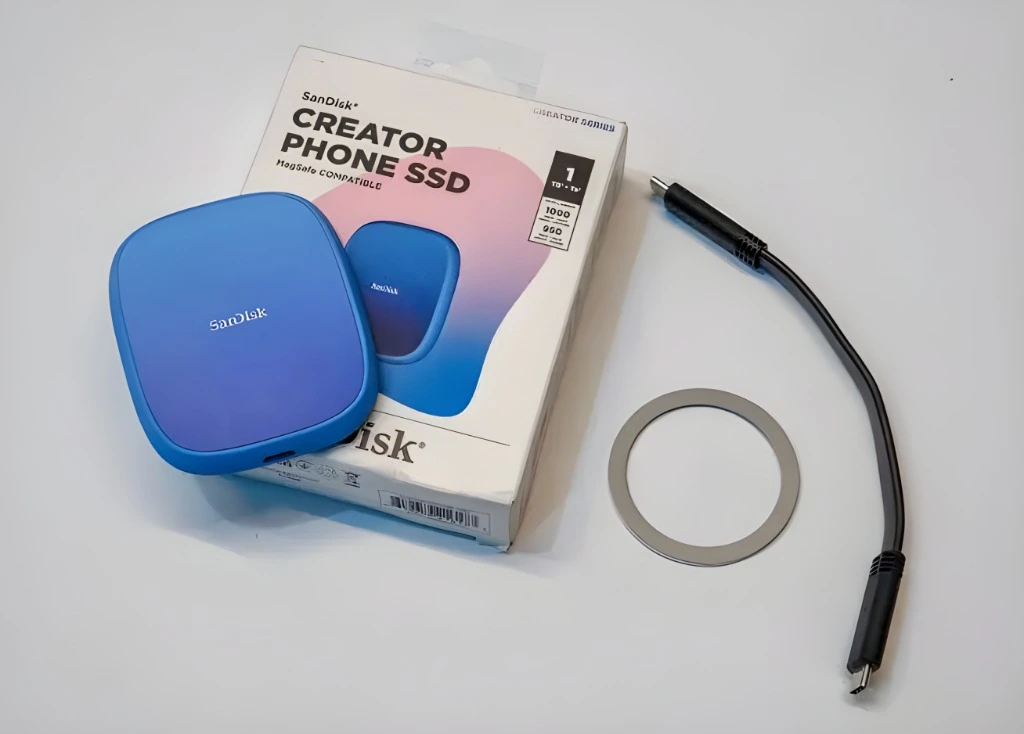
The SanDisk Creator Phone SSD attaches magnetically to the back of a MagSafe-compatible iPhone, connects through USB-C, and lets you record or transfer large video files more easily .It is not just for iPhone users. It can also work with Android phones, Macs, and Windows computers. But its main target is clear: mobile creators who need fast, reliable storage while filming.
SanDisk Creator Phone SSD Key Specs
| Feature | Details |
| Product type | Portable external SSD |
| Storage options | 1TB and 2TB |
| Connector | USB-C |
| Interface | USB 3.2 Gen 2 |
| Read speed | Up to 1000MB/s |
| Write speed | Up to 950MB/s |
| Weight | 54g |
| Size | 82.5 × 68.4 × 11mm |
| Format | exFAT |
| Phone attachment | MagSafe compatible |
| Compatibility | iOS/iPadOS, Android, macOS, Windows |
| Best for | Mobile video, ProRes recording, file transfer, creator workflows |
Why Phone Creators Need an External SSD
Phone cameras are getting more powerful every year. Modern iPhones and Android phones can record high-resolution video with advanced formats, strong HDR, and large bitrates. That is great for quality, but it creates one big problem: storage. A few minutes of high-quality video can take many gigabytes. A longer recording session can use hundreds of gigabytes.
An external SSD helps because it lets you:
For casual users, this may not matter. But for content creators, vloggers, filmmakers, YouTubers, and mobile journalists, it can be very important.
Design: Small, Light, and Phone-Friendly
The SanDisk Creator Phone SSD is very compac t.It weighs only 54g, so it does not feel heavy on the back of a phone. Its flat design makes it easy to carry in a pocket, camera bag, or laptop pouch. The most useful design feature is MagSafe compatibility. On supported iPhones, the SSD can attach magnetically to the back of the phone.
This makes filming easier because the drive stays with the phone instead of hanging loose from a cable. You still need a USB-C cable for data transfer. The magnet holds the drive, but the cable carries the data.
MagSafe Attachment: Useful in Real Shooting
MagSafe is not just a design trick here. It is practical .When recording video, loose SSDs can be annoying. They dangle, pull on the cable, or get in the way. A magnetic SSD is much easier to manage.
This is useful when filming:
The SSD can also be used with a magnetic ring on other devices, depending on setup and compatibility.
Speed: Fast Enough for Serious Mobile Video
The SanDisk Creator Phone SSD supports USB 3.2 Gen 2 and offers read speeds up to 1000 MB/s and write speeds up to 950 MB/s.That is fast enough for demanding mobile video workflows, including high-bitrate video recording on supported device s.Speed matters because video recording is not just about storage size.
The drive must also write data quickly and consistently. If the drive is too slow, recording can fail or drop fram es.For creators, stable write speed is more important than marketing numb ers.This SSD is designed for that kind of work.
Why the Cable Matters
One important detail: use the correct high-speed cable. Not all USB-C cables are the same. Some cables are suitable only for charging or slow data transfer. Those may work for simple filecopying butt fail during high-bitrate video recording. For serious recording, use a cable that supports USB 3.2 Gen 2 speeds.
A slow cable can cause:
So yes, the SSD matters, but the cable matters too.
iPhone ProRes and External Recording
The SanDisk Creator Phone SSD is especially useful for iPhone ProRes recording workflows. Apple’s ProRes video formats create very large files. Some advanced formats and workflows require external storage or strongly benefit from it because internal storage fills up quickly.
External recording is useful because it keeps huge video files off your phone and makes post-production faster. Instead of recording to the phone, transferring later, and waiting, you can record directly to the SSD and plug it into your computer for editing.
Open Gate Video and Large Files
Open Gate video uses more of the camera sensor area and gives creators more flexibility in editing. This is great for people who want to crop later for different formats, such as horizontal YouTube videos and vertical Instagram Reelsorr TikTok clips.
But Open Gate and ProRes-style recording create very large files. That means a 1TB drive can fill up faster than many users expect. A 2TB version may be better if you record long videos or shoot often.
Real-World Use
In real use, this SSD is simple .You attach it to the phone, connect theheUSB-C cable, select the drive for recording or file storage, and start shootin g.After recording, you can connect it to a computer and edit the footage.
This is useful for creators who want a cleaner workflow:
That workflow is much faster than constantly moving huge files from internal phone storage.
Editing Directly from the SSD
You can also use the SanDisk Creator Phone SSD as a normal external dri ve.For example, you can connect it to a Mac and edit video directly from the SSD. This can work well because the drive is fast enough for many editing workflows. However, there is one thing to know: the drive is formatted as exFAT for broad compatibility.
exFAT works across macOS, Windows, iOS, and Android. That is great for sharing. But for heavy Mac- only editing workflows, some users prefer Apple-native formats for better reliability .For most people, exFAT is fine. For professional long-term projects, back up your files carefully.
1TB vs 2TB: Which One Should You Buy?
The SanDisk Creator Phone SSD usually comes in 1TB and 2TB versions.
Choose 1TB if:
Choose 2TB if:
For serious iPhone video creators, 2TB is the safer choice.
Who Is This SSD For?
The SanDisk Creator Phone SSD is best for:
It is also useful for anyone who wants a small external SSD that works with both phones and computers.
Who Does Not Need It?
You may not need this SSD if:
For normal users, a cheaper portable SSD may be enough.
What I Like About the SanDisk Creator Phone SSD
What Could Be Better
Best Tips for Using SanDisk Creator Phone SSD
Is the SanDisk Creat Phone SSD Worth It?
Yes, it is worth it if you record a lot of video on your phone. It is especially useful for iPhone creators who shoot ProRes or other high-quality formats. It keeps your phone storage free, gives you a faster editing workflow, and makes mobile recording easier.
It is less necessary for casual users who only shoot normal videos or take photos. The value depends on your workflow. For serious phone video creators, it is a smart tool. For casual users, it may be overkill.
Frequently Asked Questions (FAQs)
CONCLUSION
The SanDisk Creator Phone SSD is a practical external SSD for modern mobile creators. Its biggest strengths are speed, small size, MagSafe attachment, and easy phone-to-computer workflow. It is especially useful for iPhone users who record large ProRes video files and need reliable external storage.
It is not the cheapest drive for basic backup, and you still need to use the right USB-C cable. But as a phone-focused SSD for creators, it does its job very well. If you shoot serious video on your iPhone or Android phone, this SSD can make your workflow much easier.