Hidden Treasures of the iPhone 17 Pro 2026
Hidden Treasures of the iPhone 17 Pro 2026
If you thought smartphone video couldn’t get more professional, think again. The iPhone 17 Pro is quietly revolutionizing mobile filmmaking. With its new Open Gate video and ProRes RAW, iPhone 17 Pro Open Gate Video and ProRes RAW: A Complete Guide for Content Creators. The iPhone 17 Pro is not just a smartphone for quick photos and casual videos.
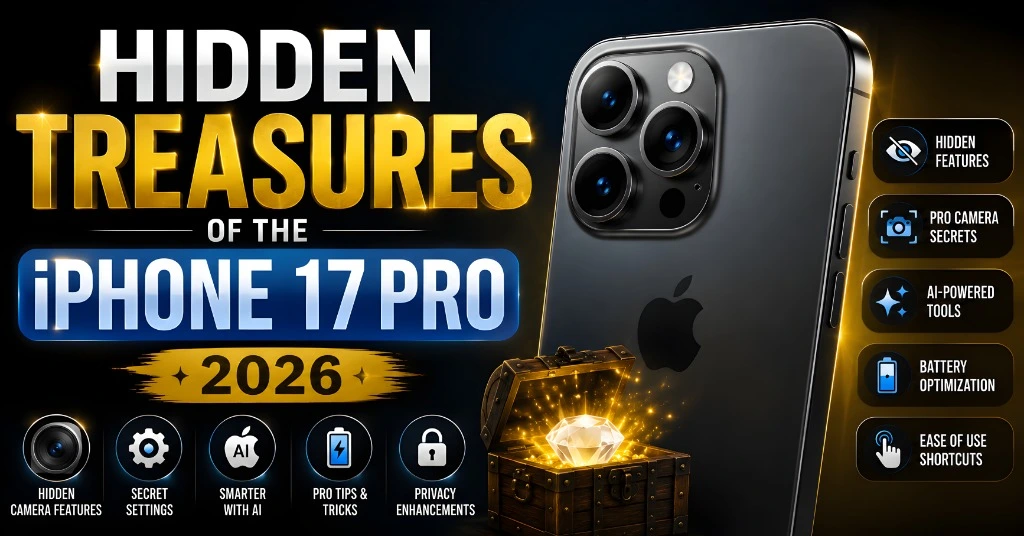
It is a powerful video tool for creators who want more control, better quality, and more flexibility during editing. With Open Gate video, ProRes RAW, Apple Log 2, and professional workflow support, the iPhone 17 Pro gives creators features that were once limited to high-end cinema cameras. These tools are useful for vloggers, filmmakers, YouTubers, TikTok creators, Instagram editors, travel shooters, and anyone who wants more freedom in post-production.
What Makes iPhone 17 Pro Video Special?
The iPhone 17 Pro is special because it supports Open Gate video and ProRes RAW. Open Gate records using more of the camera sensor, giving you extra room for cropping, reframing, and correcting mistakes. ProRes RAW captures more image data, giving editors more control over exposure, color, sharpness, and white balance during post-production.
For casual users, these features may feel advanced. But for serious creators, they can save time and improve video quality. You can shoot once and crop the same footage for YouTube, Instagram, TikTok, Shorts, Reels, or cinematic projects.
What is Open Gate Video on iPhone 17 Pro?
Open Gate video means recording across the full camera sensor area instead of using a fixed widescreen crop. Most smartphone videos are captured in a 16:9 format. That format is perfect for YouTube, TV screens, and standard landscape videos. But it gives less room for editing later.
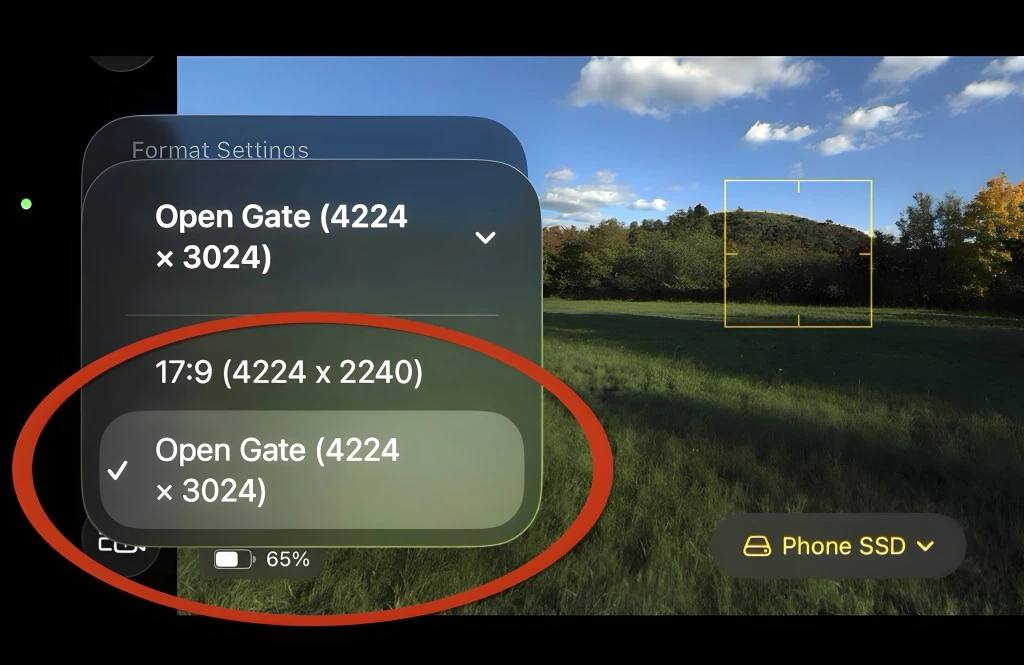
Open Gate records in a taller 4:3-style frame. This gives you more vertical space and more pixels to work with. The footage may not look like a final widescreen video at first, but that is the point. It is designed for editing flexibility.
More room for composition: Unlike traditional 16:9 video, Open Gate footage gives you extra pixels to adjust framing in post.
Easier corrections:
Crooked horizons, tilted shots, or framing mistakes are no longer disasters — you can fix them easily.
Professional flexibility:
Think of it like a mini film studio in your pocket.
You can record more of the scene and decide the final crop later.
Why Open Gate Video Matters
Open Gate video is useful because it gives creators more freedom after recording.
It helps with:
For example, imagine filming a travel scene. You want one version for YouTube in landscape format and another version for Instagram Reels in vertical format. If you shoot in normal 16:9, the vertical crop may cut off important parts of the scene. With Open Gate footage, you have more space above and below the subject. This makes vertical cropping much easier.
Best Uses for Open Gate Video
Open Gate video is not needed for every clip. It is most useful when you know the footage will be edited later.
Use Open Gate for:
It is also useful when you are filming in a fast-moving situation. If your framing is not perfect, Open Gate gives you more room to fix it later. For example, if the horizon is slightly crooked, you can rotate and crop the footage without losing too much detail. If the subject is slightly off-center, you can reframe the shot during editing.
Why the 4:3 Aspect Ratio Matters
The 4:3 aspect ratio is important because it captures a taller frame than a normal 16:9 video. Most people watch videos in different formats today. YouTube often uses 16:9. TikTok, Instagram Reels, and YouTube Shorts use vertical formats. Instagram posts may use square or portrait crops.
This creates a problem for creators. If you record only in 16:9, you may not have enough space to crop the same clip for every platform. Open Gate solves this problem by giving you extra vertical pixels.
Benefits of 4:3 Open Gate Recording
The 4:3 frame gives you:
This is especially useful for creators who post on multiple platforms. You can record one strong clip and edit it into several formats.
Introducing ProRes RAW on iPhone 17 Pro
ProRes RAW is one of the most powerful video features on the iPhone 17 Pro. Normal smartphone video is heavily processed before it is saved. The phone decides color, contrast, sharpness, white balance, and exposure style. This can look good, but it gives editors less control later. ProRes RAW captures more image information from the camera sensor. This gives editors more flexibility in post-production.
With ProRes RAW, you can adjust:
This is helpful for creators who want a cinematic look or need professional color grading.
ProRes RAW vs ProRes RAW HQ
The iPhone 17 Pro supports ProRes RAW options designed for different workflows.
ProRes RAW
Standard ProRes RAW gives strong editing flexibility while keeping file sizes more manageable than the HQ version. It is a good choice for many creators who want high-quality footage without making storage too difficult.
Use standard ProRes RAW for:
ProRes RAW HQ
ProRes RAW HQ uses a higher bitrate and keeps even more image data. This gives better quality, but it also creates much larger files.
Use ProRes RAW HQ for:
For most creators, standard ProRes RAW is the better daily option. ProRes RAW HQ is better when storage, editing power, and workflow are not a concern.
Handling Huge Video Files
Professional-quality video creates large files. This is one of the biggest challenges with ProRes RAW. A short, casual video may not be a problem. But longer ProRes RAW clips can quickly take up a huge amount of storage. This is why creators should plan their workflow before recording.
If you shoot long clips in ProRes RAW or ProRes RAW HQ, internal phone storage may fill up quickly. Editing may also become slower if files are not managed properly.
Why External SSD Storage Matters
A fast external SSD is important for serious recording. It helps store large files safely and keeps your workflow smoother.
An external SSD can help you:
For creators, this is not just a small accessory. It becomes part of the full production setup.
Best Workflow for iPhone 17 Pro Video
A good workflow makes the iPhone 17 Pro much more powerful.
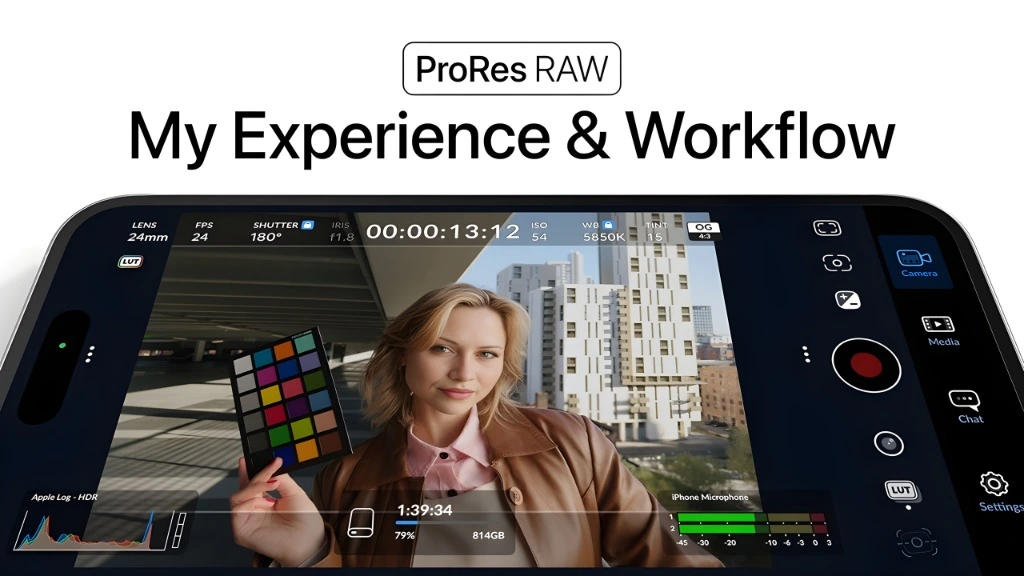
Here is a simple creator-friendly workflow:
This workflow saves time and improves consistency. It also helps you avoid shooting the same scene multiple times for different formats.
Editing with LUTs and Final Cut Pro
Final Cut Pro is one of the best editing tools for the iPhone 17 Pro workflow. It works well with Apple video formats and gives creators strong control over editing, color, audio, and export settings.
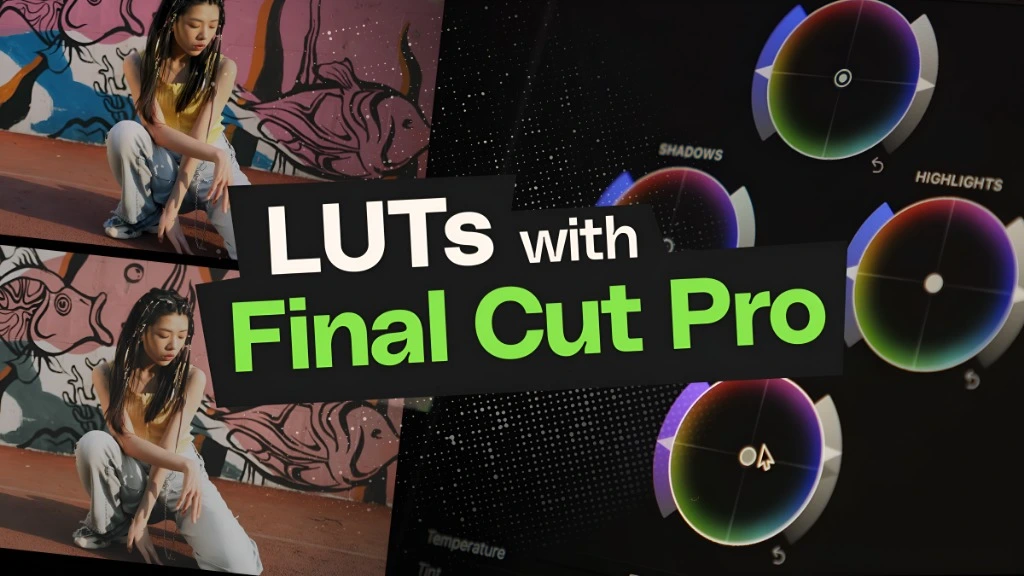
When you record in ProRes RAW or Apple Log, the footage may look flat at first. This is normal. Flat footage keeps more editing information. You then apply color correction to create the final look. This is where LUTs become useful.
What Are LUTs?
LUT stands for Look-Up Table. A LUT is a color preset that changes the look of your footage.
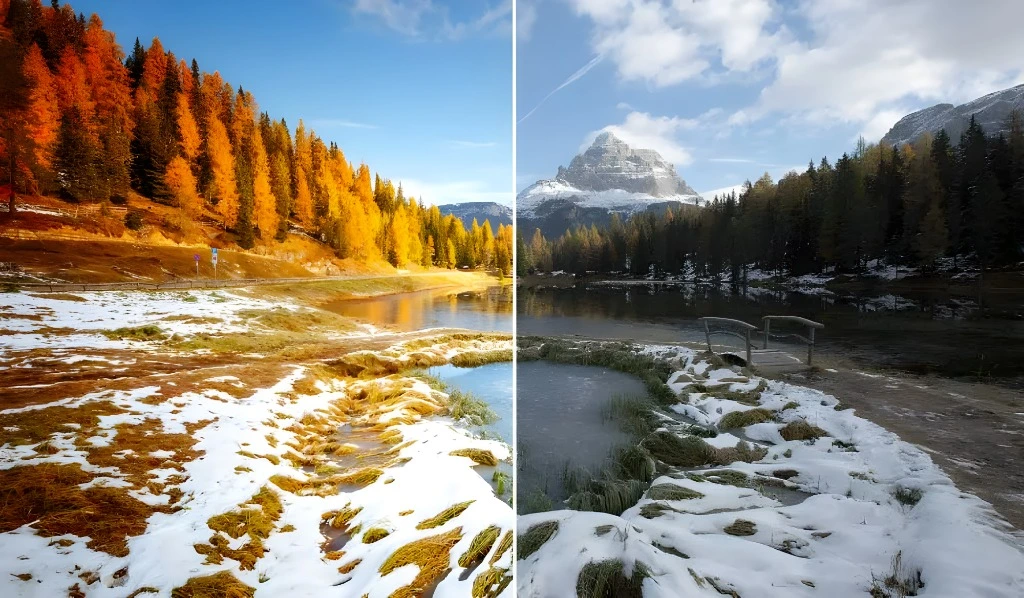
LUTs can help:
For beginners, LUTs make color grading easier. For professionals, they are a starting point for deeper editing.
Advantages for Content Creators
The iPhone 17 Pro offers several major benefits for content creators.
Open Gate footage gives you more room to crop, reframe, and adjust. This helps you save shots that may not be perfect.
You can shoot once and export different versions for YouTube, TikTok, Instagram, and Shorts.
ProRes RAW gives editors more control over image quality. This is useful for serious projects.
If you can fix framing and horizon issues in editing, you waste less time reshooting.
Open Gate and ProRes RAW help create more polished intros, B-roll, and storytelling clips.
High-quality footage gives you more options later. You can reuse clips for different projects without the quality dropping too much.
Practical Tips for Better Results
To get the best results from iPhone 17 Pro Open Gate and ProRes RAW, use these tips.
Do not use Open Gate only because it sounds professional. Use it when you need flexibility. It is best for intros, landscapes, interviews, cinematic shots, and footage that you may crop later.
ProRes RAW HQ is powerful, but it creates very large files. Standard ProRes RAW is easier to manage and still gives strong editing control.
If you plan to shoot long clips or high-quality formats, use a fast external SSD. This helps prevent storage problems.
Open Gate gives you editing flexibility, but it does not replace good shooting technique. Use a tripod, gimbal, or steady hand when possible.
Even with Open Gate, think about your final output. Leave enough space around your subject for vertical and horizontal crops.
LUTs are helpful, but they are not magic. Adjust exposure, contrast, and skin tones after applying a LUT.
Open Gate Video for YouTube, TikTok, and Instagram
Open Gate is especially useful for creators who post across many platforms.
This means one recording can become several pieces of content. That is a major time saver. Instead of shooting one horizontal video and one vertical video, you can record once with more sensor area and create both versions during editing.
Is Open Gate Useful for Casual Users?
Open Gate can be useful for casual users, but it is not necessary for everyone. If you mostly record family clips, quick memories, or simple social media videos, normal video mode is easier. Open Gate is better when you plan to edit.
Casual users may benefit from Open Gate when filming:
If you want simple videos with no editing, standard video mode is enough.
Is ProRes RAW Necessary for Everyone?
No, ProRes RAW is not necessary for every user. It is designed for people who want advanced editing control. If you do not edit colors, exposure, or footage style, you may not need it.
Use ProRes RAW if you:
Avoid ProRes RAW if you:
For many users, standard 4K video will be easier and more practical.
Frequently Asked Questions (FAQs)
CONCLUSION
The iPhone 17 Pro proves that professional mobile filmmaking is now more practical than ever. Open Gate video gives creators more room to frame, crop, and fix shots. ProRes RAW gives editors more control over color, exposure, and image quality. These features are not just marketing terms. They solve real problems for creators. You can shoot once, crop for multiple platforms, correct framing mistakes, and create more polished videos from a phone.
For casual users, normal video modes may still be enough. But for serious creators, the iPhone 17 Pro is one of the most flexible smartphone video tools available. If you are a vlogger, filmmaker, YouTuber, editor, or social media creator, Open Gate and ProRes RAW can change the way you shoot. They give you more creative freedom, more editing control, and more confidence when capturing important footage.